Invoice from a template
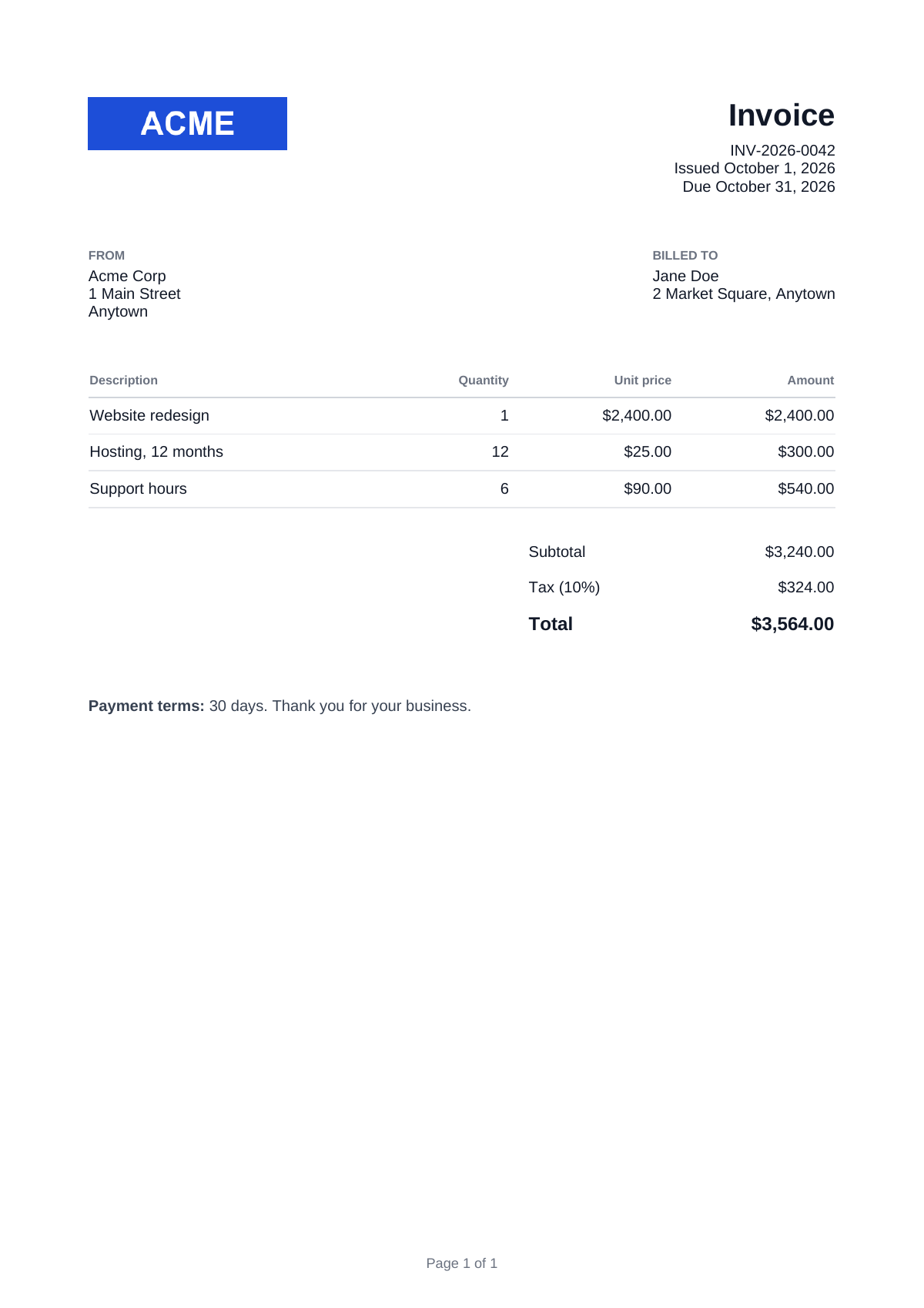
A Forme invoice rendered from a saved template with JSON data.
A template with {{#items}} line items, {{{notes}}} as raw HTML, totals passed in data, a logo uploaded as asset:logo.png, and "Page X of Y" in a @bottom-center margin box.
Template
Create a template with this HTML at app.revecto.dev/templates, upload a PNG named logo.png to it, then export its id as REVECTO_TEMPLATE_ID.
<!doctype html>
<html lang="en">
<head>
<meta charset="utf-8" />
<title>Invoice {{invoice_number}}</title>
<style>
  @page {
    size: A4;
    margin: 20mm 18mm;

    @bottom-center {
      content: "Page " counter(page) " of " counter(pages);
      font-family: Helvetica;
      font-size: 9pt;
      color: #6b7280;
    }
  }

  body {
    font-family: Helvetica;
    font-size: 10pt;
    color: #111827;
  }

  .header {
    display: flex;
    justify-content: space-between;
    align-items: flex-start;
    margin-bottom: 12mm;
  }

  .logo {
    width: 45mm;
  }

  .meta {
    text-align: right;
  }

  h1 {
    font-size: 20pt;
    margin-top: 0;
    margin-bottom: 2mm;
  }

  .parties {
    display: flex;
    justify-content: space-between;
    margin-bottom: 10mm;
  }

  .label {
    font-size: 8pt;
    font-weight: bold;
    color: #6b7280;
    text-transform: uppercase;
    margin-bottom: 1mm;
  }

  table {
    width: 100%;
    border-collapse: collapse;
  }

  th {
    text-align: left;
    font-size: 8pt;
    color: #6b7280;
    border-bottom: 1px solid #d1d5db;
    padding-top: 2mm;
    padding-bottom: 2mm;
  }

  td {
    border-bottom: 1px solid #e5e7eb;
    padding-top: 2mm;
    padding-bottom: 2mm;
  }

  .num {
    text-align: right;
  }

  .totals {
    width: 70mm;
    margin-left: auto;
    margin-top: 6mm;
  }

  .totals td {
    border-bottom: 0;
  }

  .grand td {
    font-weight: bold;
    font-size: 12pt;
    border-top: 1px solid #111827;
  }

  .notes {
    margin-top: 12mm;
    color: #374151;
  }
</style>
</head>
<body>
  <div class="header">
    <img class="logo" src="asset:logo.png" alt="Acme Corp" />
    <div class="meta">
      <h1>Invoice</h1>
      <div>{{invoice_number}}</div>
      <div>Issued {{issue_date}}</div>
      <div>Due {{due_date}}</div>
    </div>
  </div>

  <div class="parties">
    <div>
      <div class="label">From</div>
      <div>Acme Corp</div>
      <div>1 Main Street</div>
      <div>Anytown</div>
    </div>
    <div>
      <div class="label">Billed to</div>
      <div>{{customer_name}}</div>
      <div>{{customer_address}}</div>
    </div>
  </div>

  <table>
    <thead>
      <tr>
        <th>Description</th>
        <th class="num">Quantity</th>
        <th class="num">Unit price</th>
        <th class="num">Amount</th>
      </tr>
    </thead>
    <tbody>
      {{#items}}
      <tr>
        <td>{{description}}</td>
        <td class="num">{{quantity}}</td>
        <td class="num">{{unit_price}}</td>
        <td class="num">{{amount}}</td>
      </tr>
      {{/items}}
    </tbody>
  </table>

  <table class="totals">
    <tr><td>Subtotal</td><td class="num">{{subtotal}}</td></tr>
    <tr><td>Tax ({{tax_rate}})</td><td class="num">{{tax}}</td></tr>
    <tr class="grand"><td>Total</td><td class="num">{{total}}</td></tr>
  </table>

  <div class="notes">{{{notes}}}</div>
</body>
</html>
Data
Save the data as invoice-data.json.
{
  "invoice_number": "INV-2026-0042",
  "issue_date": "October 1, 2026",
  "due_date": "October 31, 2026",
  "customer_name": "Jane Doe",
  "customer_address": "2 Market Square, Anytown",
  "items": [
    { "description": "Website redesign", "quantity": "1", "unit_price": "$2,400.00", "amount": "$2,400.00" },
    { "description": "Hosting, 12 months", "quantity": "12", "unit_price": "$25.00", "amount": "$300.00" },
    { "description": "Support hours", "quantity": "6", "unit_price": "$90.00", "amount": "$540.00" }
  ],
  "subtotal": "$3,240.00",
  "tax_rate": "10%",
  "tax": "$324.00",
  "total": "$3,564.00",
  "notes": "<p><strong>Payment terms:</strong> 30 days. Thank you for your business.</p>"
}
Request
Each sample reads invoice-data.json and saves the PDF as invoice.pdf. The cURL sample builds the JSON body with jq.
jq -n --arg template_id "$REVECTO_TEMPLATE_ID" --slurpfile data invoice-data.json \
  '{ engine: "forme", template_id: $template_id, data: $data[0] }' \
  | curl https://api.eu.revecto.dev/v1/render \
    -H "Authorization: Bearer $REVECTO_API_KEY" \
    -H "Content-Type: application/json" \
    --data-binary @- \
    --fail-with-body \
    -o invoice.pdf
Result
See also: Template syntax, Template assets, Page setup.